
Understanding Hooke’s Law — Free Interactive Simulator

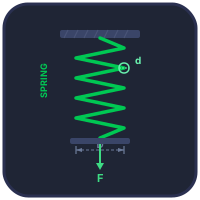
Hooke’s Law states that the force a spring exerts is directly proportional to its extension: F = kx. The constant k is the spring constant in N/m. This law holds only within the elastic limit — beyond it, permanent deformation occurs. Use the simulator above to stretch the spring, watch F–x plot in real time, and compare series vs parallel configurations.
A 5 N Spring, a 0.05 m Stretch — The Cleanest Possible Worked Example
Set the simulator to a single spring with k = 100 N/m. Hang a 0.5 kg mass on it. The whole problem fits on a sticky note:
- Weight of the mass: W = mg = 0.5 × 9.81 = 4.905 N
- At equilibrium, spring force balances weight: Fspring = 4.905 N
- Extension: x = F/k = 4.905/100 = 0.049 m (4.9 cm)
- Energy stored: PE = ½kx² = ½(100)(0.049)² = 0.120 J
That energy figure is the one students miss most often. It is not F·x (that would give 0.240 J), because the force only reaches its full value at the final extension — on average through the stretch it is half. Geometrically: the area under the F-x line is a triangle, not a rectangle. I draw that triangle on the board for first-time learners and they remember the factor of one half forever.
A Common Misconception Worth Killing Early
Students sometimes say “a stiffer spring stretches less” as if stiffness causes the smaller stretch directly. The clearer statement is: a stiffer spring needs more force to produce the same stretch, so for a given load (like gravity pulling on a mass), it ends up stretched less. The cause is the load not changing; the result is the smaller extension.
Run the simulator with k = 50, 100 and 200 N/m for the same 1 kg mass. Extensions come out as roughly 196 mm, 98 mm, 49 mm — exactly halving each time the stiffness doubles. The simulator’s F-x line gets steeper too. Same load, different gradients, different equilibrium points.
Where Hooke Stops Being Hooke — The Elastic Limit
Push past the elastic limit and the force-extension line stops being straight. Three regimes you can see in the simulator’s extended-load mode:
- Elastic region (Hookean). F = kx exactly. Load and unload — the spring returns to its natural length. This is everything I have described above.
- Yielded but not broken. The line bends but the spring still pulls back, just not as much. Unload and the spring stays partially stretched. Real coil springs above their proof load behave this way.
- Plastic and approaching break. The line goes nearly flat — the spring stretches under barely-increasing load. The next small extension snaps it. In a workshop, this is what happens when you over-tension a valve spring once too often.
For an extension simulator like this, the elastic limit is shown as a dashed red line. Stay left of it and Hooke holds. Cross it and the simulator switches into the non-linear regime so you can see the deviation.
Where Hooke’s Law Shows Up Beyond Springs
The Hookean form — restoring force linear in displacement — appears everywhere small displacements matter. You don’t think of these as “springs” but they all obey F = kx for small enough x:
- Bonded atoms. Stretch the bond between two atoms in a solid; the restoring force is approximately Hookean for small displacements. That is why crystals have well-defined Young’s moduli, and why ultrasonic frequencies are predictable.
- Tuning forks & sensors. A tuning fork tine, a piezo accelerometer, a MEMS gyro’s proof mass — all obey Hooke’s law in their working range. The resonant frequency f = (1/2π)√(k/m) is exactly the SHM formula derived from F = -kx.
- Suspension bridges. The vertical sag of a hanging cable under a moving load is approximately Hookean for small loads. Engineers use the linearised form for fast preliminary design and switch to non-linear FEA only for final verification.
Force-Extension Graphs & Energy
A force-extension graph for a spring obeying Hooke’s Law is a straight line through the origin with gradient k. The area under the graph equals the elastic potential energy stored: Ep = ½kx². This energy can be fully recovered when the spring returns to its natural length (within the elastic limit). The simulator above lets you see this energy area grow in real time as you increase the load.
Series & Parallel Spring Combinations
When springs are placed in series (end to end), the effective spring constant is lower than either individual spring: 1/keff = 1/k1 + 1/k2. In parallel (side by side), the stiffness adds up: keff = k1 + k2. Toggle between configurations in the simulator to see the difference in extension for the same load.
How to Use This Tool
The tool opens in Experiment mode, which is the Hooke’s law experiment itself: choose a spring, step the picker to the slotted mass you want, press Add, let it steady, and read the extension off the rule through the ×10 magnifier. Remove takes the last mass back off; Reset takes every mass off and clears the readings and graph for a fresh run on the same spring; CSV exports your readings for a lab report. Two or more elastic points and the tool fits the line and reports k from its gradient against the true value.
In Simulate mode, drag the weight or use the sliders/steppers to apply force. Watch the F–x graph plot in real time and the live equation overlay update. Toggle SI / Imperial for an imperial bench and imperial units, open Show Calculations for the full derivation in classical math notation, or right-click the canvas to export CSV/PNG. Explore holds the concept cards, Practice generates random problems and Quiz tests your understanding with 5 questions.
The Loading Experiment — Finding k From a Graph, Not a Single Reading
Experiment mode reproduces the classic school and college lab: choose a spring from the rack (A — fine, k = 15.076 N/m; B — medium, k = 27.000 N/m; C — stiff, k = 46.265 N/m, all three derived from Shigley’s spring equations for real wire and coil geometry), then hang the slotted masses one at a time. The masses are the ones a laboratory actually owns: brass discs with a bore and a radial slot so they slide onto the hanger without unhooking it, in 10 g steps from 10 g to 100 g, each one drawn with its real thickness — a 100 g mass is 8.4 mm of brass and a 10 g one only 0.8 mm, which is why the stack on the hanger tells you what is on it at a glance. Pick the denomination with the [−] [value] [+] control, and Remove takes off the last mass you added, exactly as a hand would. Switch to Imperial and the bench changes rather than the labels: an avoirdupois set (¼, ½, 1, 2, 4 oz — the binary series a Class F slotted set is built from) read against an inch rule graduated in sixteenths.
After each mass is added the run controller lets the spring steady, then reads the extension off the rule — through a magnified window — to the nearest millimetre, or the nearest sixteenth of an inch on the imperial bench, exactly as you would with your own eye against a scale in a real lab. Every reading is added as a row to the results table and plotted as a point on the F–x graph.
The spring constant is then read off as the gradient of the best-fit line through those points, not calculated from any one point. That matters: a single F/x reading carries the full rounding error of that one measurement, while the gradient of a line fitted through many points lets the errors partly cancel. Reading to the nearest millimetre costs about 0.1 % on the recovered k for these springs — small, but not zero, and the tool reports the exact figure alongside the fitted value rather than pretending the reading is perfect.
Keep adding masses and, on every spring in the rack, you will eventually cross the elastic limit (2.857 N on Spring A, 5.752 N on Spring B, 11.092 N on Spring C). Past that point the F–x line bends onto a shallower, plastic gradient, and points beyond the limit are automatically excluded from the fit — including them would change the answer, which is exactly why they are left out. Unload the spring afterwards and it does not return to its original length: it keeps a permanent set, the same way an overloaded valve spring or an over-stretched luggage strap stays a little longer than it started. Reset fetches a fresh, undamaged spring so you can run the experiment again.
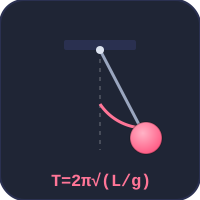
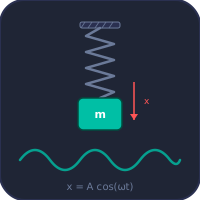
One thing worth being honest about. A real spring, once released, does not stop moving straight away — it oscillates, and at a realistic damping ratio it can ring for the better part of a minute (around 49 seconds for a rack spring loaded with a typical mass) before it is still enough to read. That is not something you can sit and watch in a simulator, so after each mass is hung the display simply reports “steadying…” and settles within a second or two — deliberately faster than the real physics, in the same way you would cup the mass in your hand for a moment in the real lab rather than wait out the ringing. No reading is ever taken from the moving spring; every value in the table and on the graph comes from the settled, at-rest position, and the wording says “steadying” rather than inventing a story about air resistance or friction to justify the speed. What is physical, and worth checking for yourself, is the natural frequency: a spring genuinely rings at ωn = √(k/m), so if you time the free oscillation of a loaded spring with a stopwatch, the period you measure should match T = 2π√(m/k) for that spring’s k and the mass you hung on it.
Spring Constant k and Young’s Modulus E — the Same Law at Two Scales
The experiment above measures k, the stiffness of one particular spring. Change the wire, the coil diameter or the number of turns and k changes with it — k is a property of the object, not of the material it is made from. Young’s modulus E is the material property underneath it: the same proportionality between force and deformation, written so that the geometry divides out.
For a straight bar of cross-sectional area A and original length L pulled in tension, the two are related exactly:
k = EA / L (N/m) because σ = E ε, with σ = F/A and ε = x/L
Worked example. A steel rod, E = 200 GPa, 2 m long, 10 mm diameter (A = 78.5 mm² = 7.85 × 10⁻⁵ m²). Then k = EA/L = (200 × 10⁹ × 7.85 × 10⁻⁵) / 2 = 7.85 × 10⁷ N/m. Hang 100 kg on it and it stretches x = F/k = 981 / 7.85 × 10⁷ = 0.0125 mm. The same F = kx you plotted with slotted masses, on a body a hundred million times stiffer.
This is why a helical spring is soft while the steel it is wound from is not: coiling turns the wire’s torsion into the spring’s extension, and the spring’s k works out as k = Gd⁴/(8D³n) — the shear modulus G, the wire diameter d, the coil diameter D and the number of active coils n. Same material, geometry doing the work.
You can measure G on this page. Take five or more readings below the elastic limit and press Find Modulus: the tool fits the gradient, inverts k = Gd⁴/(8D³n) to give G = 8kD³n/d⁴, and reports it against the material’s published value — typically within a few tenths of a percent. Young’s modulus is then offered as E = 2G(1+ν) with ν stated, and labelled as derived rather than measured, because a spring cannot tell you Poisson’s ratio.
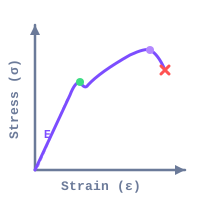
The practical difference for an experiment: a Hooke’s law spring test gives you one number, k, in N/m, and it belongs to that spring. A tensile test gives you E in GPa, and it belongs to the material — which is why E is what a datasheet quotes. To measure E rather than k, you need a specimen of known area and length and a machine that can load it: that is the UTM tensile testing simulator, and the slope of the elastic part of the curve it draws is exactly what the stress–strain curve tool reports as Young’s modulus. A fuller derivation of the k ↔ E relationship, including where the atomic-scale form k = EA/L comes from, is in the Hooke’s law and spring constant guide.
Hooke’s Law & Spring Formulas
| Property | Formula | Unit |
|---|---|---|
| Hooke’s Law | F = k × x | N |
| Spring Constant | k = F / x | N/m |
| Elastic Potential Energy | PE = ½ k x² | J |
| Springs in Series | 1/keff = 1/k1 + 1/k2 | N/m |
| Springs in Parallel | keff = k1 + k2 | N/m |
| Natural Frequency (mass-spring) | f = (1/2π) √(k/m) | Hz |
Typical Spring Constants by Application
| Application | Approx. k (N/m) | Material |
|---|---|---|
| Ballpoint pen spring | 100 – 300 | Music wire |
| Screen door spring | 500 – 1 500 | Galvanised steel |
| Automotive valve spring | 15 000 – 50 000 | Chrome vanadium |
| Car suspension spring | 20 000 – 60 000 | Chrome silicon |
| Industrial die spring | 50 000 – 200 000 | Alloy tool steel |
| Railroad buffer spring | 500 000+ | High-carbon steel |
Frequently Asked Questions
How do you find the spring constant from a graph? Plot the applied force F on the vertical axis against the measured extension x on the horizontal axis, using only the readings taken within the spring’s elastic limit. Because F = kx is a straight line through the origin, k is the gradient of that line — rise over run — found by fitting the best straight line through every plotted point, not by dividing one single F by its x. Using the gradient rather than one reading matters because it spreads the rounding error from reading the rule out across every point instead of trusting just one: with a rule read to the nearest millimetre, the gradient method typically recovers k to within about 0.1 % of its true value, which the Experiment mode above reports directly once you have enough points on the graph.
What is the difference between the spring constant and Young’s modulus? The spring constant k describes one particular object and is measured in N/m: change the wire, the coil diameter or the number of turns and k changes with it. Young’s modulus E describes the material and is measured in GPa — the same force–deformation proportionality with the geometry divided out. For a straight bar of area A and original length L the two are related exactly by k = EA/L, because σ = Eε with σ = F/A and ε = x/L. A Hooke’s law spring test therefore gives you k for that spring, while a tensile test on a specimen of known area and length gives you E for the material — which is what a datasheet quotes.
What happens if you stretch a spring past its elastic limit? Below the elastic limit, Hooke’s Law holds exactly and the spring returns to its original length every time it is unloaded. Push it past that limit and the spring starts to deform plastically: the force-extension line bends onto a shallower gradient, meaning it now takes progressively more force to stretch it the same extra amount. Unload it after that and it does not spring all the way back — it keeps a permanent set, coming to rest at a length longer than it started. The spring is not broken, but it is now a slightly different, weaker spring than the one you began with, which is why it is never included in the gradient fit for k.
Explore Related Simulators
If you found this Hooke’s Law simulator helpful, explore our Spring Design simulator, Stress–Strain Curve simulator, Simple Harmonic Motion simulator, Universal Testing Machine simulator, and Simple Pendulum simulator, and the Spring-Mass-Damper vibration simulator, which takes the same spring constant k and shows the natural frequency and damping it produces,, and our Tuning Fork simulator for more hands-on practice.
Updated