About MechSimulator: an engineering lab in your browser
Free, interactive simulators of the instruments, machines and experiments that technical and vocational engineering students learn on, built and checked by a working mechanical engineering instructor.
- 168interactive simulators
- 11subject areas, from measuring to maths
- 4learning modes: Simulate, Explore, Practice, Quiz
- 0accounts, downloads or fees
Why it exists
MechSimulator exists to close the lab-equipment gap in engineering education. A diploma student in a small polytechnic should be able to practise reading a vernier caliper, plot a Mohr’s circle or trace a hydraulic circuit with the same hands-on intuition as a student at a well-funded university — from a browser, on whatever device they have.
Every one of the 168 simulators is written, drawn, coded and reviewed in-house by a mechanical engineering instructor. They are not embeds, affiliate widgets or generated boilerplate: each one is built around a real lesson and revised based on what learners get wrong.
The site is free and needs no account. It is kept free by the ads shown on its pages, and the simulators themselves run entirely in your browser.
What makes it different
Four ways to learn
Simulate the real apparatus, Explore the concepts, Practice with generated problems, then Quiz yourself.
Checked, not just drawn
Formulas come from standard textbooks and standards, and simulators are tested against worked examples with known answers.
Runs anywhere
No installation: school Chromebooks, tablets and phones all work, and pages are light enough for slow networks.
Real instruments, real units
Instruments match the graduations of the physical ones, with SI and imperial units where the subject uses both.
Subject areas
Measuring Instruments
Vernier caliper, micrometer, dial gauge, height gauge, protractors.
Mechanics & Motion
Newton’s laws, projectiles, friction, statics, momentum.
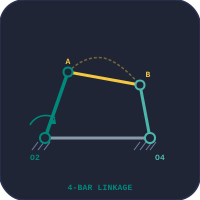
Mechanisms & Machines
Linkages, cams, gears, belt drives, governors, clutches.
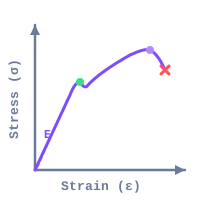
Strength of Materials
Beams, Mohr’s circle, buckling, torsion, trusses.
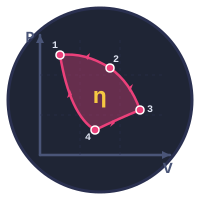
Thermal & Fluids
Cycles, heat transfer, refrigeration, pipe flow, pumps.
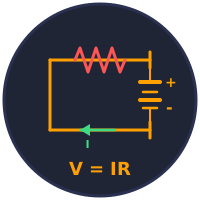
Electrical
Circuits, transformers, motors, generators, star-delta.
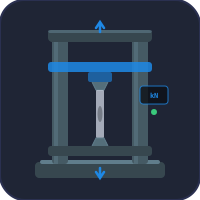
Virtual Lab Testing
UTM, hardness, impact, fatigue, wind tunnel, engine tests.

Workshop & Manufacturing
Lathe, milling, drilling, CNC G-code, hydraulics, pneumatics, PLC.
Engineering Calculators
Speeds and feeds, gear strength, bearings, welds, springs.

Basic Science
Physics and chemistry labs: atoms, bonds, cells, optics, waves.

Mathematics
Graphing, calculus and the maths behind the engineering.
Who builds it

Naseel Ibnu Azeez
Mechanical Engineering Instructor
M.Tech, Machine Design · B.Tech, Mechanical Engineering
Connect on LinkedInNaseel Ibnu Azeez is a mechanical engineering instructor with a Master of Technology in Machine Design and a Bachelor of Technology in Mechanical Engineering. He has spent years teaching diploma-level and apprenticeship-level engineering courses — the kind where students need a working intuition for tools and machines, not just textbook formulas.
The physics and formulas come from standard textbooks used in engineering curricula worldwide: Shigley’s Mechanical Engineering Design, Hibbeler’s Mechanics of Materials, Cengel’s Heat & Mass Transfer, Norton’s Design of Machinery, and the BS / ISO measurement standards. Where a tool models a real instrument (vernier caliper, micrometer, dial gauge), its geometry and graduations match the physical instrument used in technical institutes.
How every page is checked
- Drafted against a primary sourceEach tool starts from a textbook formula or published standard, cited in the article so you can verify it.
- Numerically validatedOutputs are checked against worked examples with known answers before the page goes live.
- Tested in classConfusing controls, labels and modes are fixed based on what students actually ask.
- Corrected when reportedReport a mistake from the tool and you get an email when the fix is live. Each page shows when it was last reviewed.
For educators & institutions
MechSimulator is used by instructors and students in vocational institutes, polytechnics, diploma programmes and apprenticeship schemes. Share direct links with your students or put them on your learning portal; every simulator has a built-in QR code for classroom sharing.
Need a specific tool added, a change for your syllabus, or a build for your institution? Tell us about your course.
Frequently asked questions
What is MechSimulator?
MechSimulator is a free, browser-based platform of 168 interactive engineering and science simulators. Most tools have four learning modes: Simulate, Explore, Practice and Quiz. No signup, no download and no cost.
Who created MechSimulator?
MechSimulator was created by Naseel Ibnu Azeez, a mechanical engineering instructor with an M.Tech in Machine Design, who builds and checks every simulator himself for technical and vocational engineering students.
Is MechSimulator free to use?
Yes. Every simulator is free without an account, and there are no paywalls or premium tiers. The site is kept free by the ads shown on its pages.
How do I report a mistake in a simulator?
Open the simulator and press Report Issue in its toolbar. It can attach your settings and a picture of what you saw. Leave your email and you get a reply, and a second email when the fix is live.
Can I use MechSimulator in my classroom?
Yes. Share any simulator link with your students; every tool has a QR code for classroom sharing. For a topic you need covered or a build for your institution, use the contact page.
Questions, ideas or corrections?
Every message gets a reference number and a reply by email.
Updated
Updated