
Mechanisms & Machines Simulators
Links that turn rotation into reciprocation, gears that trade speed for torque, flywheels and governors that hold an engine steady. These tools cover theory of machines from kinematic chains to machine elements, each one animating the mechanism it is solving.
- 19 tools
- 4 topics
Linkages, Cams & Intermittent Motion
Kinematics of mechanisms: how a chain of links turns one motion into another, and what each inversion of the chain gives.
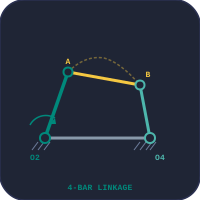
Four-Bar Linkage
A working rig driven through every Grashof class and its limits: coupler curves, transmission angle, dead centres and instant centres.
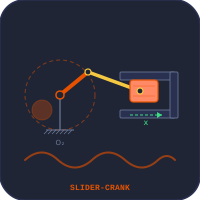
Slider-Crank Mechanism
All four inversions, from the IC engine to the quick-return mechanism, with live kinematics graphs.

Scotch Yoke & Double-Slider Chain
Elliptical trammel, Scotch yoke and Oldham coupling, with the yoke’s pure simple harmonic output.
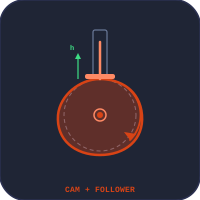
Cam & Follower
Cam profiles from SHM, cycloidal and uniform motion laws, with displacement, velocity and acceleration diagrams.

Geneva Mechanism
Intermittent motion from 3 to 8 slots: dwell, indexing and locking phases.
Power Transmission
Carrying rotation and torque from one shaft to another, changing speed on the way.
Gear Trains
Simple, compound and worm gear meshes: ratio, output speed and torque, animated.
Planetary Gears
A planetary gear trainer: hold, drive or free the sun, carrier and ring; Willis equation, lever analogy, Prius and automatic gearboxes.
Manual Gearbox
A cutaway 5-speed synchromesh transmission: layshaft, synchro collars and reverse idler as you shift.
Clutch System
Single and multi-plate, cone and centrifugal clutches: torque capacity, number of plates, slip heat and take-up.
Hydraulic Brake System
Pedal, booster and master cylinder to disc and drum brakes on a car, a two-wheeler or one wheel: pressure, lock-up and stopping distance.
Belt & Chain Drive
Velocity ratio, wrap angle, tension ratio and power for flat, V-belt, crossed and roller-chain drives.
Dynamics of Machines
Forces and energy in moving machinery: smoothing speed, controlling it, and the effects of spin and vibration.
Flywheel & Turning Moment
Turning-moment diagrams and the coefficient of fluctuation of speed, sizing a flywheel for an engine or a press.
Flywheel Energy
Kinetic energy, mass moment of inertia and rim stress of disc, ring and spoked flywheels.

Centrifugal Governors
Watt, Porter, Proell and Hartnell governors: equilibrium speed, controlling force, sensitivity and effort.
Gyroscope
Precession, nutation and the torque that drives them, as spin, mass and tilt change.
Mechanical Vibrations
Spring-mass-damper systems: natural frequency, damping ratio and resonance under a forcing load.
Bearings & Machine Elements
Where the machine meets design: the bearings, gears and screws that carry its loads.
Bearing Selection
Choose among eight bearing types by rating life, dynamic load rating, lubrication and static safety.

Bearing Life
L10 and L10h life, equivalent load and adjusted life for ball and roller bearings.
Gear Tooth Strength
Lewis bending and AGMA contact stress, allowable load and safety factor for spur and helical gears.
Power Screw
Raising and lowering torque, efficiency and self-locking of square, ACME, trapezoidal and buttress threads.
Kinematics, Dynamics and Design
The subject usually called theory of machines works in three layers. Kinematics asks only about motion: given how the input link turns, where is every other link, and how fast is it moving? Dynamics adds the forces and energy: how much a flywheel must store, how a governor holds speed against a changing load, what torque a spinning rotor exerts when it is turned. Design then sizes the parts that carry those loads — the bearings, gears and screws. The four groups on this page follow the same order.
What Each Mechanism Converts
Most mechanisms exist to turn one kind of motion into another. The table lists the conversion each one makes and where it is found.
| Mechanism | Input → output | Typical use |
|---|---|---|
| Four-bar linkage | Rotation → oscillation or rotation | Wipers, pumps, suspensions |
| Slider-crank | Rotation ↔ reciprocation | Engines, compressors, presses |
| Scotch yoke | Rotation → simple harmonic reciprocation | Valve actuators, test rigs |
| Cam and follower | Rotation → programmed reciprocation | Engine valves, automatic machinery |
| Geneva drive | Continuous → intermittent rotation | Indexing tables, film projectors |
| Gear train | Rotation → rotation at a new speed and torque | Reducers, clocks, gearboxes |
| Belt or chain | Rotation → rotation over a distance | Conveyors, engines, bicycles |
| Power screw | Rotation → linear motion with a large force | Jacks, vices, lead screws |
| Governor | Speed → sleeve movement | Engine speed control |
| Flywheel | Stores and returns energy each cycle | Engines, punching presses |
A Sensible Order for a Theory of Machines Course
- Links, pairs and inversions — the four-bar chain, the slider-crank chain and the double-slider chain, and what fixing each link produces.
- Velocity and acceleration of those mechanisms, graphically or analytically.
- Cams — follower motion laws and the cam profile they produce.
- Gears and gear trains, then belts and chains.
- Turning-moment diagrams and flywheels, then governors.
- Gyroscopic effects, balancing and vibration.
From Mechanism to Machine Design
A mechanism that moves correctly still has to survive its loads. The bearings, gear teeth and screws in the last group are where theory of machines hands over to machine design, and the stress checks behind them — bending, contact stress, fatigue — are in the Strength of Materials collection. The slider-crank’s best-known application, the internal combustion engine, is modelled thermodynamically in the Thermal & Fluid Engineering collection.
Frequently Asked Questions
What is the difference between a mechanism and a machine?
A mechanism is an assembly of links that transmits or transforms motion, such as a four-bar linkage or a cam and follower. A machine is one or more mechanisms that transmit force and energy to do useful work, such as an engine or a press. Every machine contains mechanisms; a mechanism alone need not carry a significant load.
What is an inversion of a mechanism?
A kinematic chain can be turned into different mechanisms by fixing a different link as the frame. Each result is an inversion. The slider-crank chain, for example, gives the reciprocating engine with one link fixed and the quick-return mechanism of a shaping machine with another.
What does theory of machines cover?
It covers the kinematics of mechanisms (linkages, cams, gears), the transmission of power (gear trains, belts, chains), and the dynamics of machines: flywheels, governors, gyroscopic effects, balancing and vibration. Machine design, which sizes bearings, gears and shafts for strength, usually follows as a separate course.
Where are the engine simulators?
The slider-crank mechanism here covers the kinematics of an engine. The four-stroke and two-stroke engine simulators, which model the thermodynamic cycle, are in Thermal & Fluid Engineering.
Explore Related Simulators
Updated