

Measuring Instrument Simulators
Read the scale, count the divisions, correct the zero. Practise every common workshop instrument — rule, calipers, micrometers, height and dial gauges, protractors — in metric and inch, plus the fits, tolerances and instrumentation they are used to check.
- 13 tools
- 4 topics
Linear Measurement
Lengths, diameters, depths and heights — from a rule read to half a millimetre to a micrometer read to a hundredth.
Steel Rule
Read 0–150 mm to 0.5 mm, or inches to 1/16″.

Vernier Caliper
Outside, inside and depth readings on 0.02, 0.05 and 0.1 mm verniers, plus 0.001″ and 1/128″ inch scales.
Dial Caliper
Beam plus a 100-division dial: 0.001″, 0.02 mm and 0.01 mm instruments.

Micrometer Screw Gauge
Outside, depth and inside micrometers, read on sleeve and thimble to 0.01 mm or 0.001″.
Vernier Height Gauge
Heights over a surface plate on metric and inch verniers.
Comparators & Angular Measurement
Instruments that measure a difference from a datum, and the ones that measure an angle.


Limits, Fits & GD&T
What a measurement is checked against: the size limits of a fit and the geometric tolerances on a drawing.
Pressure, Temperature & Resistance
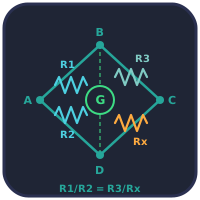
Instrumentation beyond dimensions: a Bourdon gauge, a thermocouple and a bridge circuit.
Every Reading Is Built the Same Way
A vernier caliper, a micrometer, a dial caliper and a bevel protractor look nothing alike, but each is read in the same three steps. Take the coarse reading from the main scale — the beam, the sleeve, the degree scale. Add the fine reading: the number of divisions on the vernier, thimble or dial multiplied by the instrument’s least count. Then correct for zero error — what the instrument shows when it should read nothing. Learn that pattern once and every instrument on this page is a variation of it; the simulators draw each scale at a size where the lines can be counted, and check the reading you enter against the one the instrument actually shows.
Instruments by Resolution
Typical least counts and ranges of the common workshop instruments. Real instruments vary by maker and model; these are the usual teaching values.
| Instrument | Typical least count | Typical range | Used for |
|---|---|---|---|
| Steel rule | 0.5–1 mm · 1/16″ | 150–300 mm | Marking out, rough lengths |
| Vernier caliper | 0.02 mm · 0.001″ | 0–150 mm | Outside, inside and depth |
| Dial caliper | 0.02 mm · 0.001″ | 0–150 mm | As the vernier, faster to read |
| Micrometer | 0.01 mm · 0.001″ | 25 mm per frame | Diameters, thickness |
| Height gauge | 0.02 mm | 0–300 mm | Heights, marking out on a plate |
| Dial gauge | 0.01 mm · 0.001″ | 10 mm · 1″ | Run-out, flatness, comparison |
| Bevel protractor | 5′ | 0–360° | Angles on parts and tools |
| Protractor | 1° | 0–180° or 360° | Drawing and rough angles |
Choosing the Right Instrument
A common rule in metrology is that the instrument should resolve about a tenth of the tolerance being checked. A dimension of 25 ± 0.1 mm can be checked with a 0.02 mm caliper; 25 ± 0.02 mm needs a micrometer. That is why measurement and limits and fits are taught together: the fit decides the tolerance, and the tolerance decides the instrument. Geometric requirements — flatness, roundness, run-out — are specified with GD&T symbols and are usually checked with a dial gauge rather than a caliper.
Errors Every Reading Carries
Zero error is the reading with the jaws or anvils closed; it is subtracted from every measurement, with its sign. Parallax comes from reading a scale at an angle, which is why a vernier is read square-on and a micrometer at eye level with the index line. Measuring force matters on soft parts and thin walls, and a micrometer’s ratchet exists to make it repeatable. Temperature matters at the micrometre level: ISO 1 sets 20 °C as the reference temperature for dimensional measurement, and a steel part handled for a few minutes can be several micrometres larger than its drawing size.
For Career and Technical Education and Apprenticeships
Reading precision instruments is assessed in machining, maintenance and fitting programmes worldwide, including US career and technical education and the NIMS machining credentials. The simulators support both metric and inch instruments, include timed practice and quizzes, and need no sign-up, so they work as homework before a practical assessment as well as in class.
Frequently Asked Questions
What is the least count of a measuring instrument?
It is the smallest change in size the instrument can resolve: the value of one division on its finest scale. For a vernier it is one main-scale division minus one vernier division; for a micrometer it is the screw pitch divided by the number of thimble divisions. It sets how finely a reading can be quoted, not how accurate the instrument is.
Should I use a caliper or a micrometer?
Use a caliper for general measurement over a wide range, including inside diameters and depths. Use a micrometer when the tolerance is tight: it resolves 0.01 mm or 0.001 inch and is less affected by how hard it is squeezed, but each frame covers only 25 mm or one inch.
What is zero error and how is it corrected?
Zero error is the reading an instrument shows when it should read zero, for example with the jaws of a caliper fully closed. A positive zero error is subtracted from every reading and a negative one is added, so the corrected reading equals the observed reading minus the zero error, taking its sign into account.
Do the simulators include inch instruments?
Yes. The steel rule, vernier caliper, dial caliper, micrometer, height gauge and dial gauge each include inch versions alongside metric ones, reading to a thousandth of an inch or to a sixteenth or finer fraction where that is how the real instrument is graduated.
Explore Related Simulators
Updated