
Material Testing Virtual Labs & Engineering Test Rigs
Every property an engineer quotes came out of a test: a specimen pulled to fracture, a pump run from shut-off to run-out, a motor braked until it stalls. These are those experiments, arranged by the lab course that teaches them — set up the rig, take the readings, reduce them to a result.
- 21 experiments
- 4 lab courses
Materials Testing Lab
The basic material testing lab of every mechanics-of-materials course: load a specimen, record the response, reduce it to the properties a datasheet quotes.
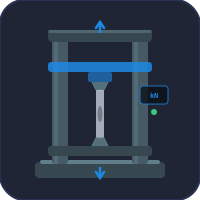
Tensile & Compression Test (UTM)
Young’s modulus, 0.2% proof stress, UTS and elongation from a live stress-strain record.
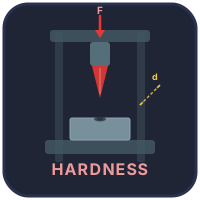
Brinell, Rockwell & Vickers Hardness
Indent, measure the impression and work out HB, HR and HV — plus conversion between scales.
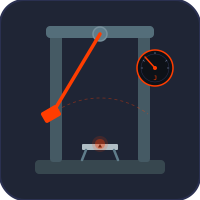
Charpy & Izod Impact Test
Absorbed energy and the ductile-to-brittle transition temperature from a swinging pendulum.
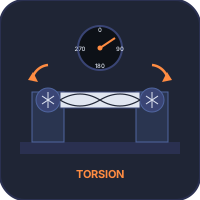
Torsion Testing Machine
Torque–twist curve of solid and hollow bars: shear modulus G, shear yield and modulus of rupture.
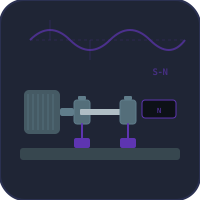
Rotating-Beam Fatigue Test
Run specimens at falling stress amplitudes to build the S-N curve and find the endurance limit.
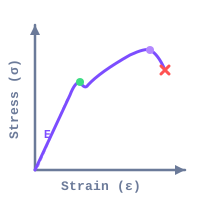
Stress-Strain Curve Analysis
Read yield, UTS and toughness off a numbered curve — or paste your own tensile data and reduce it.
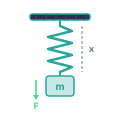
Hooke’s Law Experiment
Hang slotted masses, read the extension off a rule and take the spring constant from the gradient.
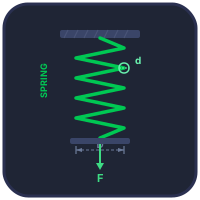
Helical Spring Load Test
Load-test a compression spring for rate, overshoot, coil clash and permanent set.
Fluid Mechanics & Aerodynamics Lab
The hydraulics bench and the wind tunnel: flow rate, head, viscosity and the forces a moving fluid exerts.
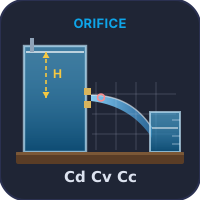
Orifice Discharge Experiment
Plot the jet with needles, time a collection, and separate Cd into Cv and Cc.
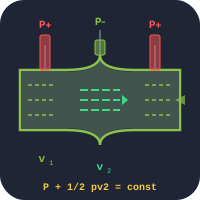
Bernoulli & Venturi Apparatus
Watch pressure head trade against velocity head along a converging–diverging duct.
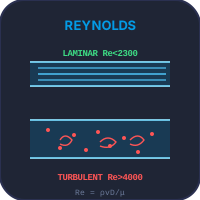
Osborne Reynolds Apparatus
Inject a dye filament and watch laminar flow become transitional, then turbulent, as Re rises.
Falling-Ball Viscometer
Time a sphere between two marks and find dynamic viscosity from its terminal velocity by Stokes’ law.
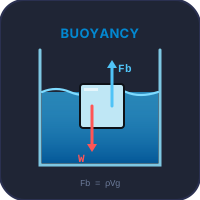
Archimedes & Buoyancy Rig
Weigh a body in air and immersed over an overflow can; recover its density from the two readings.
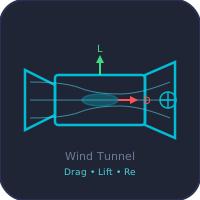
Wind Tunnel
Drag, lift and surface pressure on test bodies, with blockage correction and measurement uncertainty.
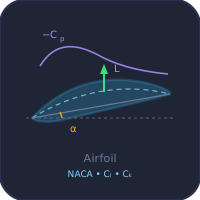
Airfoil Polar Test
Sweep angle of attack on a NACA section and record Cl, Cd, Cm and the Cp distribution.
Fluid Machines & IC Engines Lab
Performance test rigs: run a machine across its range and plot the characteristic curves an operator reads.
Centrifugal Pump Test Rig
Head–capacity, power and efficiency curves; locate the best efficiency point and check NPSH.
Hydraulic Turbine Test Rig
Pelton, Francis and Kaplan runners: efficiency, unit quantities and specific speed from speed sweeps.
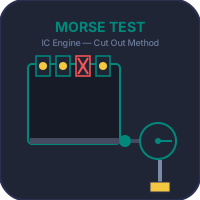
Morse Test — Multi-Cylinder Engine
Cut out one cylinder at a time to find indicated power, friction power and mechanical efficiency.
Electrical Machines Lab
The machines lab: load tests and no-load / short-circuit tests that separate a machine’s losses.
DC Motor Load Test
Brake, Swinburne, speed-control and retardation tests on a brake-drum rig, with fault diagnosis.

Induction Motor Tests
No-load and blocked-rotor tests to build the equivalent circuit; torque–slip curve and starting.
Transformer OC & SC Tests
Open- and short-circuit tests for core and copper loss, then regulation and efficiency at any load.
What Makes a Virtual Lab Different From a Calculator
A calculator takes the property as an input and gives an answer. A test works the other way round: you start with an unknown specimen or machine, operate the apparatus, write down what the instruments show and only then calculate the property from your own readings. That order is what every experiment in this collection keeps. The torsion machine gives you a torque and a twist angle, not a shear modulus; the orifice rig gives you a needle position and a stopwatch time, not a coefficient of discharge. Getting from the reading to the result is the part a lab course assesses, so it is the part left to the student.
The same distinction decides what belongs on this page. Tools that compute a quantity from a formula — beam deflection, bolt preload, heat conduction — live in the Strength of Materials, Thermal & Fluid and Calculators collections instead. Here, each tool reproduces a piece of apparatus and a procedure.
Experiments, Results and Standards at a Glance
Use the table to match a practical in your syllabus to the simulator that runs it, the quantity you should end up with, and the standard that defines the method where one exists.
| Experiment | Result you determine | Method / standard |
|---|---|---|
| Lab 01 · Materials testing | ||
| Tensile test | E, Rp0.2, Rm, elongation, reduction of area | ISO 6892-1 · ASTM E8/E8M |
| Hardness | HBW, HRC/HRB, HV | ISO 6506-1 · 6508-1 · 6507-1 |
| Pendulum impact | Absorbed energy KV, transition temperature | ISO 148-1 · ASTM E23 |
| Torsion | G, shear yield, modulus of rupture | ASTM E143 |
| Rotating-beam fatigue | S-N curve, endurance limit | ISO 1143 |
| Spring extension | Spring constant k | Gradient of F–x |
| Spring load test | Rate, set, solid length | EN 13906-1 |
| Lab 02 · Fluid mechanics & aerodynamics | ||
| Flow through an orifice | Cd, Cv, Cc | Jet trajectory + timed collection |
| Venturi meter | Head distribution, flow rate | ISO 5167-4 |
| Flow regimes | Critical Reynolds number | Dye injection |
| Falling sphere | Dynamic viscosity μ | Stokes’ law |
| Hydrostatic weighing | Buoyant force, density | Archimedes’ principle |
| Wind tunnel | CD, CL, Cp, uncertainty | ISO 5168 |
| Airfoil polar | Cl–α, drag polar, Cm | Panel method + boundary layer |
| Lab 03 · Fluid machines & IC engines | ||
| Pump performance | H–Q, power, η, BEP, NPSHr | ISO 9906 |
| Turbine performance | η, unit speed/power, specific speed | Constant-head speed sweep |
| Engine friction power | IP, FP, mechanical efficiency | Morse cylinder cut-out |
| Lab 04 · Electrical machines | ||
| DC machine | Efficiency, speed regulation, losses | IEEE 113 |
| Induction machine | Equivalent circuit, T–s curve | IEEE 112 |
| Transformer | Core & copper loss, regulation, η | IEC 60076 |
Working Through a Lab Course
Materials testing usually starts with the tensile test, because every other result is read against it: hardness is converted to an approximate tensile strength, impact energy explains why a steel that passed its tensile test can still fail brittle in winter, and fatigue strength is quoted as a fraction of the ultimate. Brittle fracture in welded ships during the Second World War is why impact testing is compulsory for structural steel, and the Comet airliner losses of 1954 are why fatigue became a design check rather than an afterthought. Do the tensile test first, then hardness and impact, then torsion and fatigue.
Fluid mechanics builds from statics to flow: buoyancy and hydrostatic weighing, then discharge through an orifice and a Venturi meter, then viscosity and the Reynolds experiment that explains why pipe friction changes character. The wind-tunnel and airfoil work sit at the end, once pressure coefficient and Reynolds number are familiar.
Fluid machines and engines share one habit: run the machine across its range and plot curves, not single points. A pump or turbine has one operating point where it is most efficient, and finding it is the aim of the test. The Morse test does the same for an engine’s friction power, which cannot be measured directly.
Electrical machines rely on tests that separate losses without loading the machine to destruction. The transformer’s open- and short-circuit tests and the induction motor’s no-load and blocked-rotor tests each isolate one kind of loss, which is why the same pair of tests appears in almost every machines syllabus.
What a Virtual Lab Cannot Replace
The results here are computed from validated engineering models, not measured on a real specimen. That means no scatter between nominally identical samples, no badly machined test piece, no extensometer that slips. Those are genuine parts of experimental work, and a physical lab is still where a student learns to recognise them. The value of a simulator is preparation: arriving at the real rig already knowing the sequence, which readings matter and what a sensible result looks like, so lab time is spent on the experiment rather than on the instructions.
Frequently Asked Questions
Which engineering lab experiments can I run online here?
Twenty-one, grouped the way a university or polytechnic timetable groups them: a materials testing lab (tensile, compression, hardness, impact, torsion, fatigue and spring tests), a fluid mechanics and aerodynamics lab (orifice, Venturi, Reynolds, falling-ball viscometer, buoyancy, wind tunnel and airfoil polar), a fluid machines and IC engine lab (centrifugal pump, hydraulic turbine and Morse test) and an electrical machines lab (DC motor, induction motor and transformer tests). All run free in a browser with no sign-up.
Can a virtual lab replace the physical laboratory?
No, and it is not meant to. The numbers come from validated engineering models rather than from a real specimen, so there is no scatter between nominally identical samples and no instrument drift. What a virtual lab does well is the preparation: the student learns the procedure, which readings to take and how to reduce them before a scheduled session, and can repeat a destructive test as often as needed.
How do I write a lab report from a virtual experiment?
Use the same structure as for a physical test: aim, apparatus, procedure, a table of the raw readings you took, the calculation from those readings, the result with units, a comparison with the published value and a discussion of error. Record the readings yourself as you go rather than copying the final figure, because the reduction from raw readings to a property is the part being assessed.
Are the results based on real test standards?
Where a test is standardised, the simulator follows the method of the standard it names, such as ISO 6892-1 for tensile testing, ISO 148-1 for Charpy impact, ISO 9906 for pump acceptance and IEEE 112 for induction motors. The reference table on this page lists the standard behind each experiment. The standards themselves are not reproduced; consult the published document for acceptance criteria.
Explore Related Simulators
Updated