
Mechanisms & Machines
Interactive simulators for linkages, gears, cams, governors, flywheels, bearings, and power transmission — visualise motion, analyse kinematics, and master mechanism design.
10 simulators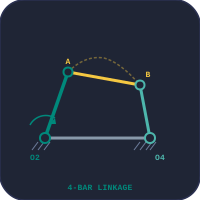


Understanding Mechanisms and Kinematics of Machines
Mechanism design lies at the heart of mechanical engineering. A mechanism is an assembly of rigid bodies connected by joints that transforms input motion into a desired output motion. From the piston stroke of an internal combustion engine to the precise lift profile of a valve train, every moving machine relies on the principles of kinematics — the study of motion without regard to forces. These simulators give students the ability to interact with mechanisms in real time, observe how changing link lengths or cam profiles alters output displacement, velocity, and acceleration, and develop an intuitive understanding that static textbook diagrams cannot provide.
Linkages — Four-Bar and Slider-Crank
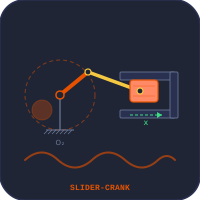
The four-bar linkage is the simplest and most fundamental closed-chain mechanism. By varying the relative lengths of its four links, engineers can create crank-rocker, double-crank (drag link), or double-rocker configurations. The Grashof criterion (s + l ≤ p + q) determines whether continuous rotation is possible. Our Four-Bar Linkage simulator lets you drag link lengths, watch the coupler curve trace, and check transmission angle quality in real time. The slider-crank converts rotary motion to reciprocating motion (or vice versa) and appears in every reciprocating engine, compressor, and press. The Slider-Crank simulator covers all four inversions — from the standard IC engine mechanism to the Whitworth quick-return and oscillating cylinder — with live kinematic graphs of displacement, velocity, and acceleration versus crank angle.
Cams, Gears, and Power Transmission
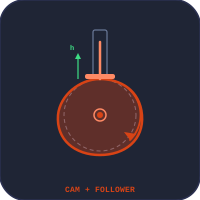
A cam mechanism produces a predetermined motion profile in its follower. Engineers choose among simple harmonic motion (SHM), cycloidal, uniform velocity, and uniform acceleration profiles depending on the application's jerk and acceleration limits. The Cam & Follower simulator animates the rotating cam disc and plots follower displacement, velocity, and acceleration diagrams side by side. Gear trains transmit torque and change rotational speed through meshing teeth. Simple, compound, and worm gear sets each offer different gear ratios, efficiency levels, and self-locking characteristics. The Gear Train Calculator animates rotating gears and computes output RPM and torque for any combination. For flexible power transmission, the Belt & Chain Drive simulator covers open and crossed belt configurations, wrap angle, the capstan (Euler) equation for belt tension, and chain sprocket kinematics.
Governors, Flywheels, and Speed Regulation
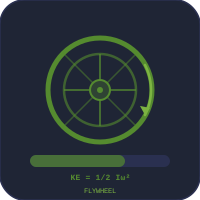
Maintaining steady engine speed requires two complementary devices. A governor senses speed changes and adjusts fuel supply to regulate mean speed over time. The Centrifugal Governor simulator covers Watt, Porter, and Proell types with animated ball lift, while the Governor Dynamics simulator dives deeper into sensitivity, isochronism, hunting, and controlling force diagrams. A flywheel, on the other hand, limits speed fluctuations within a single engine cycle by storing and releasing kinetic energy. The Flywheel Energy Storage simulator calculates moment of inertia and hoop stress for different flywheel geometries, while the Flywheel Dynamics simulator constructs turning moment diagrams and determines the coefficient of fluctuation for single and multi-cylinder engines.
Bearing Selection and Machine Element Design
No rotating mechanism operates without bearings. Selecting the right bearing type — deep groove ball, cylindrical roller, angular contact, or thrust — depends on load magnitude, direction, speed, and required service life. The Bearing Selection Trainer teaches L10 life calculation, dynamic and static load ratings, equivalent bearing load under combined radial and axial forces, and ISO reliability factors. Students learn to use bearing catalogue data just as they would in professional design work.
Who Uses These Simulators?
These mechanism and machine simulators are designed for TVET diploma students, undergraduate mechanical engineering students, apprentices in industrial maintenance, and instructors delivering kinematics and dynamics coursework. Each simulator includes four learning modes — Simulate, Explore, Practice, and Quiz — so learners can progress from guided exploration to timed self-assessment. All tools run directly in the browser with no installation, making them ideal for classroom demonstrations, homework assignments, and exam preparation.
Explore Related Simulators
If these mechanism simulators are useful, explore our other engineering categories: the Applied Mechanics simulators for forces, projectile motion, and vibrations, the Strength of Materials simulators for beam bending, Mohr's circle, and shaft torsion, and the Workshop Practice simulators for bolted joints, riveted joints, and machine tool operations.