Flight Theory Simulator: Principles of Flight Online
Fly it and see the physics — Four Forces • Angle of Attack • Stall • Banked Turns • 2D & 3D
Display Controls
💡 What is happening now — read from the flight model, every half second
Σ Live equations — theory beside the measured value
✈ The aircraft — mass, wing, lift curve and limits
1 Overview
The Flight Theory Simulator lets you fly an aeroplane and see the principles of flight while you do it. A six-degree-of-freedom flight model works out the aircraft’s motion 240 times a second from its lift, drag, side force, thrust, weight and the pitching, rolling and yawing moments of its wing, tail and control surfaces. Every arrow, angle and dial on the screen is read from that model.
You can fly four aircraft: a light trainer (Cessna 172-class), a two-seat sailplane (ASK 21-class), an aerobatic monoplane (Extra 300-class) and a twin-jet airliner (A320-class). Each has the mass, wing, stall speed and handling of its class. The page has four modes: Simulate, Explore, Practice and Quiz.
2 Getting Started
The page opens in Free flight with the A320-class airliner trimmed for straight and level flight at 3,000 m and 120 m/s. Choose another aircraft from the list beside 2D | 3D. Try these in order:
- Hold ← for a second and let go. The aircraft banks, the lift arrow in the rear view tilts, and the aircraft starts to turn and lose height.
- Now hold ↓ gently (pull back) while you are banked. The load factor rises above 1 and the height loss stops: that is a level turn.
- Pick the Lesson “Stall and recovery” and press Show me to watch the autopilot fly it, then fly it yourself.
3 Flying the Aircraft
Everything you fly with sits in the instrument panel at the bottom of the picture, like a real cockpit: the stick and rudder on the left, the six instruments in the middle, and the throttle, trim and flap quadrant on the right. On a narrow screen the same controls move to just under the picture.
- Stick: drag the blue knob, or use the arrow keys (or WASD). Left and right move the ailerons and roll the aircraft. Down (↓, PULL) moves the elevator trailing edge up and raises the nose; up (↑, PUSH) lowers it. The stick springs back to centre when you let go.
- Rudder: drag the bar under the stick, or Q (left) and E (right). It springs back too. With Auto-rudder ticked the rudder keeps every turn coordinated; untick it to feel adverse yaw.
- Throttle: drag the black lever, or Shift (more) and Ctrl (less). Trim: drag the white lever, or T (nose up) and G (nose down); it sets where the elevator rests with the stick centred. Flaps: click a setting, or F / V. Brakes: click, or hold B.
- The toolbar above the picture holds everything else: 2D / 3D, the aircraft, the lesson, pause (Space), restart (R), trim for level flight, time (¼× to 2×), SI or Imperial, the calculations, CSV and PNG export, and Full screen, which gives the whole window to the simulator (Esc to leave).
- The picture is sized to fit your screen, so you can fly and watch the forces without scrolling.
4 Reading the 2D View
- Side view (large panel): the aircraft seen from the side in the vertical plane of its flight path. Lift (green), weight (amber), thrust (blue) and drag (red) are drawn from the centre of gravity to one scale. When thrust and drag are too small to see beside lift and weight, they are drawn larger by a stated factor (for example “T, D ×5”). The dashed horizon, the body (chord) line and the flight-path arrow show the pitch angle θ, the flight-path angle γ and the angle of attack α = θ − γ. In a bank the side view shows the part of the lift that acts in the vertical plane, L cos φ.
- Rear view: the bank angle φ, the lift tilted with the wings, and its two parts: L cos φ holds the aircraft up and L sin φ pulls it round the turn.
- Panel (the tabs on the lower right picture): choose the Top view (the ground track with the turn radius), Wing airflow (potential flow round an aerofoil section at the present angle of attack, coloured by pressure, with streamlines that move faster over the top), the Lift curve (CL against α with the stall), the Drag curve (parasite, induced and total drag against speed) or the V–n diagram (the flight envelope).
- Instruments: airspeed indicator with its coloured arcs, attitude indicator, altimeter, turn coordinator with slip ball, heading indicator and vertical speed indicator, plus the angle-of-attack gauge, the g-meter and the throttle and flap indicators.
2D and 3D, in the strip above the picture, switch views. The page opens in 3D on a computer or tablet and in 2D on a phone. Your last choice is remembered for that kind of device, and a link ending ?view=2d or ?view=3d opens that view. In 3D, choose a camera (Chase, Orbit, Side, Rear, Cockpit, Tower) and drag in Orbit to look round the aircraft. The force arrows and the body axes are drawn in 3D, and the same instruments run along the bottom.
5 Lessons and the Autopilot
The Lesson list sets up a flight and shows a card with the goal and a live checklist. Show me lets the autopilot fly the manoeuvre while you watch the forces and instruments; take the controls back at any time by touching the stick or a key. The lessons are: straight and level, climb, descent and glide, a 30° level turn, a steep 45–60° turn, stall and recovery, the spiral dive (“nose dive”) and its recovery, adverse yaw, take-off, the phugoid, flaps and slow flight, and ground effect in the landing flare.
The autopilot works by solving the aircraft’s own moment equations for the elevator, aileron and rudder that give the motion it wants, and it keeps the angle of attack at least 2° below the stall.
6 Readouts, Learning Panels and Export
The readouts give the true airspeed, altitude, vertical speed, angle of attack, pitch and flight-path angle, bank, load factor, turn rate and radius, lift and weight, thrust and drag, lift coefficient and lift-to-drag ratio, and the stall speed at 1 g and at the present load factor. Units switches between SI (m/s, m, kN) and the units pilots read (knots, feet, feet per minute, pounds-force); the choice is remembered across the site.
What is happening now explains the present flight in words. Live equations sets the textbook formula (for example n = 1/cos φ or R = V²/(g tan φ)) beside the value the flight model measured. The calculator button shows every step for this moment. CSV exports the flight log (time, position, speeds, angles, forces), PNG saves the picture, and a right-click on the picture opens a menu.
7 Explore, Practice and Quiz
Explore holds 32 concept cards in six groups (forces, lift, controls, turns, performance, stability), each with the formula and a worked example and most with a diagram. Practice generates numerical problems (lift, stall speed, load factor, turn radius, rate of turn, glide distance, rate of climb, ISA density) with a full worked solution. Quiz asks six questions drawn at random from a larger pool, with the options shuffled, and gives a star rating at the end.
8 What the Model Assumes
- A rigid aircraft with constant mass over a flat Earth, in the International Standard Atmosphere with no wind.
- Lift and drag from coefficients: a linear lift curve up to the critical angle of attack, blended into a separated-flow branch past the stall; drag = CD0 + K·CL², with the induced part reduced in ground effect (McCormick). Stability and control derivatives are representative textbook values for each class of aircraft.
- Propeller thrust from constant shaft power with an altitude lapse; jet thrust from a static rating with a density and Mach lapse. Propeller torque, P-factor and slipstream effects are not modelled.
- The wing-airflow panel is two-dimensional potential flow round a Joukowski aerofoil with the Kutta condition. It has no boundary layer, so past the stall it marks the separation instead of computing it.
Free Online Flight Theory Simulator: How an Aeroplane Flies
This principles of flight simulator lets you fly an aircraft and watch the theory happen. Lift, weight, thrust and drag are drawn as arrows on the aircraft while it flies. The angle of attack, load factor, stall warning and lift-to-drag ratio update with every control input. It is a free online flight theory simulator that runs in the browser, in 2D and 3D.
You can fly four aircraft: a light trainer of the Cessna 172 class, a two-seat sailplane, an aerobatic monoplane and a twin-jet airliner. Guided lessons take you through the topics of a Principles of Flight syllabus one at a time. In each one an autopilot demonstration flies the manoeuvre first: a stall, a steep turn, a glide. Then you fly it yourself. The material follows EASA and FAA Principles of Flight for PPL ground school, and it suits A-level, AP and IB physics and first-year aeronautical engineering.
The Four Forces of Flight: Lift, Weight, Thrust and Drag
Four forces act on every aeroplane in flight. Lift acts at right angles to the relative airflow. Weight acts straight down through the centre of gravity. Thrust pulls forward along the engine or propeller line. Drag acts back along the airflow. In steady, straight and level flight nothing accelerates, so lift equals weight and thrust equals drag.
Drag has two parts. Parasite drag comes from skin friction and the shape of the airframe and grows with the square of speed. Induced drag is the cost of making lift. The wingtip vortices tilt the lift backwards, so induced drag grows with the square of the lift coefficient and is largest when the aircraft flies slowly. Total drag therefore follows a U-shaped curve. Its lowest point, the minimum-drag speed, is where the two parts are equal. For the simulator's trainer that is 36.4 m/s (71 kt) at sea level, and the drag there is 944 N against a weight of 10,228 N.
So how do airplanes fly? It starts with the wing. A wing at an angle of attack turns the air passing it downward. Newton's third law says the air pushes the wing up in return. The same flow moves faster over the upper surface, and Bernoulli's equation links that higher speed to lower pressure. The pressure difference between the two surfaces is the lift. The Newton and Bernoulli descriptions are two views of the same flow, not rival theories. The popular "equal transit time" explanation is false. Nothing forces the air over the top to rejoin the air underneath at the trailing edge, and in fact the upper air gets there first. The simulator's pressure view shows the suction over the top and the flow leaving the sharp trailing edge smoothly (the Kutta condition).
Angle of Attack, the Critical Angle and the Stall
Angle of attack α is the angle between the wing's chord line and the relative airflow. It is not the same as pitch attitude θ, the angle of the fuselage above the horizon. The relative airflow comes from along the flight path, so α = θ − γ, where γ is the flight-path angle. With the nose 10° up on a 6° climb, the wing meets the air at 4°. A descending aircraft can have its nose below the horizon and still be at a high angle of attack.
Below the stall the lift coefficient rises in a straight line with angle of attack. For the trainer it climbs about 0.08 per degree up to CLmax = 1.6 at the critical angle of about 16°. Past that angle the air can no longer follow the curved upper surface. It separates, lift drops and drag rises sharply. That is the stall.
The key point about angle of attack and stall is that a stall depends only on angle of attack. A wing can stall at any airspeed and in any attitude. Pull hard enough at high speed and the wing passes the critical angle even though the airspeed indicator reads well above the published stall speed. In the simulator the stall warning comes on 3° before the critical angle. The recovery is always to reduce the angle of attack first.
Flight Controls: Elevator, Ailerons and Rudder on the Three Axes
An aircraft rotates about three axes through its centre of gravity, and each primary control works one of them. This is pitch, roll and yaw:
- Ailerons roll the aircraft about the longitudinal axis, nose to tail. Stick right raises the right aileron and lowers the left one, so the left wing makes more lift and the aircraft rolls right.
- Elevator pitches the aircraft about the lateral axis, wingtip to wingtip. Stick back raises the elevator trailing edge, the tailplane pushes down and the nose rises.
- Rudder yaws the aircraft about the normal (vertical) axis. Right pedal yaws the nose right.
Rolling into a turn shows adverse yaw. The down-going aileron gives the rising wing more lift and more induced drag, and that drag swings the nose away from the turn. In the simulator, roll the trainer with aileron alone and the slip ball moves off centre while the nose yaws the wrong way. A touch of rudder in the same direction as the stick cancels it. That is a coordinated turn. Control force scales with ½ρV², so the controls feel soft near the stall.
Banked Turns: Load Factor, Turn Radius and Rate of Turn
To turn, the pilot banks the aircraft so that part of the lift points sideways. The vertical part must still carry the weight, L cos φ = W. The horizontal part provides the centripetal force, L sin φ = mV²/R. From these two equations come the three results every pilot learns:
- Load factor in a banked turn: n = L/W = 1/cos φ. It depends only on the bank angle.
- Turn radius formula: R = V²/(g tan φ), with V the true airspeed.
- Rate of turn: ω = g tan φ / V. A standard-rate turn of 3° per second takes two minutes for a full circle, and needs a bank of about TAS (kt)/10 + 7°.
The wing must make n times the weight in lift, so the stall speed in a turn rises to VS√n. In a 60° bank the load factor is 2 and the stall speed is 41 % higher than wings level. An over-tight turn onto final approach can stall at a speed that looks safe.
Past about 60° the load factor rises steeply. A level turn at 75° of bank needs 3.86 g, more than the +3.8 g limit of a normal-category aeroplane. If the bank keeps growing the nose drops and speed builds into a spiral dive. Pulling harder while still banked only tightens the spiral. The recovery is power off, wings level, then ease out of the dive.
Climbing, Descending and Gliding: the Lift-to-Drag Ratio
An aircraft climbs on the power it has left over after paying for drag. Rate of climb = (power available − power required) / weight. With 30 kW to spare, the 1,043 kg trainer climbs at 30,000 / 10,228 = 2.93 m/s, about 580 ft/min. VY gives the most height per minute; the slower VX gives the most height per distance.
With no power at all the aircraft glides. In a steady glide tan γ = D/L, so the glide ratio, distance flown per height lost, equals the lift-to-drag ratio L/D. The best glide comes where induced and parasite drag are equal. There CL = √(CD0/K) and (L/D)max = 1/(2√(CD0K)). The trainer's best glide ratio is 10.8, so from 1,000 m it covers 10.8 km. The sailplane's is 32.9. Mass does not appear in the formula. A heavier aircraft glides at the same angle and covers the same distance, only faster, since best glide speed scales with the square root of weight.
Flaps, Stall Speed and Ground Effect
Why do flaps lower stall speed? Lowering flap adds camber to the wing and raises its maximum lift coefficient. Stall speed is VS = √(2W/(ρSCLmax)), so it falls with the square root of CLmax. Full flap on the trainer raises CLmax from 1.60 to 2.08. The sea-level stall speed falls from 25.4 m/s (49 kt) to 22.3 m/s (43 kt). On the airliner, whose slats and flaps raise CLmax from 1.50 to 2.79, the stall speed falls from 145 kt to 106 kt. Flaps add drag too, which steepens the approach.
Ground effect appears within about one wingspan of the runway. The ground blocks the downwash and the wingtip vortices, so induced drag falls. McCormick's factor, φ = (16h/b)²/(1 + (16h/b)²), gives the fraction of induced drag that remains at height h for a span b. At 2 m above the runway the trainer keeps 89 % of its induced drag. The saving is why aircraft float in the flare and can lift off too slowly to climb out of ground effect.
The Lift Equation: a Worked Example
The lift equation is L = ½ ρ V² S CL, where ρ is the air density, V the true airspeed, S the wing area and CL the lift coefficient. This lift equation example uses the trainer, which has a mass of 1,043 kg and a wing area of 16.2 m².
- Weight: W = 1,043 kg × 9.80665 m/s² = 10,228 N. In level flight lift must equal this.
- Speed: 100 kt = 51.44 m/s. At sea level ρ = 1.225 kg/m³.
- Dynamic pressure: ½ × 1.225 × 51.44² = 1,621 Pa. Multiplied by the wing area: 1,621 × 16.2 = 26,260 N.
- Required lift coefficient: CL = 10,228 / 26,260 = 0.390, well below CLmax = 1.6.
- At 3,000 m in the standard atmosphere ρ = 0.909 kg/m³. At the same true airspeed ½ρV²S is only 19,488 N, so the wing needs CL = 0.525. The pilot gets it by raising the angle of attack.
The same numbers show why manoeuvring speed matters. At 100 kt and CLmax the wing could make 1.6 × 26,260 = 42,016 N, which is 4.1 times the weight. A sharp pull at that speed could exceed the 3.8 g limit before the wing stalls. The trainer's manoeuvring speed, VA = VS√3.8, is 96 kt.
Reference Tables: Load Factor, Stall Speed and Turn Performance
Level, coordinated turns at 100 kt true airspeed (51.4 m/s), g = 9.80665 m/s². Load factor and stall-speed factor do not depend on the aircraft or the speed. Radius and rate scale with speed as shown in the formulas above.
| Bank angle | Load factor n | Stall-speed factor √n | Stall speed increase | Turn radius | Rate of turn |
|---|---|---|---|---|---|
| 0° | 1.00 | 1.000 | 0 % | straight | 0 °/s |
| 15° | 1.04 | 1.017 | 1.7 % | 1,007 m | 2.93 °/s |
| 30° | 1.15 | 1.075 | 7.5 % | 467 m | 6.31 °/s |
| 45° | 1.41 | 1.189 | 18.9 % | 270 m | 10.92 °/s |
| 60° | 2.00 | 1.414 | 41.4 % | 156 m | 18.92 °/s |
| 70° | 2.92 | 1.710 | 71.0 % | 98 m | 30.01 °/s |
| 75° | 3.86 | 1.966 | 96.6 % | 72 m | 40.76 °/s |
The four aircraft in the simulator, computed from their model data at sea level in the ISA (ρ = 1.225 kg/m³), clean configuration:
| Aircraft | Mass | Wing area | Span | Aspect ratio | Wing loading | CLmax | Stall speed | (L/D)max |
|---|---|---|---|---|---|---|---|---|
| Light trainer (Cessna 172 class) | 1,043 kg | 16.2 m² | 11.0 m | 7.5 | 631 N/m² | 1.60 | 25.4 m/s (49 kt) | 10.8 |
| Two-seat sailplane (ASK 21 class) | 520 kg | 17.95 m² | 17.0 m | 16.1 | 284 N/m² | 1.40 | 18.2 m/s (35 kt) | 32.9 |
| Aerobatic monoplane (Extra 300 class) | 820 kg | 10.7 m² | 8.0 m | 6.0 | 752 N/m² | 1.30 | 30.7 m/s (60 kt) | 10.8 |
| Twin-jet airliner (A320 class) | 64,000 kg | 122.6 m² | 34.1 m | 9.5 | 5,119 N/m² | 1.50 | 74.6 m/s (145 kt) | 16.5 |
Who Uses This Simulator?
- Student pilots preparing for the EASA or FAA Principles of Flight exam. They can see the stall, adverse yaw and the turn before meeting them in the air.
- Ground school instructors, who can project the autopilot demonstrations in class.
- Physics students and teachers at A-level, AP and IB, for forces in equilibrium, circular motion and Bernoulli's principle.
- First-year aerospace engineering students, for the drag polar, (L/D)max, the standard atmosphere, static margin and the phugoid.
The free flight theory simulator also sets practice problems with fresh numbers and worked steps, and a short quiz checks the concepts.
Frequently Asked Questions
What are the four forces of flight?
The four forces are lift, weight, thrust and drag. Lift acts at right angles to the relative airflow and is made by the wings. Weight acts straight down through the centre of gravity. Thrust from the engine or propeller pulls the aircraft forward, and drag acts back along the airflow. In steady, straight and level flight lift equals weight and thrust equals drag, so the aircraft does not accelerate.
How does a wing produce lift?
A wing at an angle of attack turns the passing air downward. By Newton's laws, pushing air down produces an equal upward force on the wing. The same flow is faster and at lower pressure over the upper surface and slower at higher pressure underneath, which Bernoulli's equation describes. Both are one explanation of one flow. The "equal transit time" idea is wrong: air over the top reaches the trailing edge first.
What causes a stall?
A wing stalls when its angle of attack exceeds the critical angle, typically around 15 to 18 degrees for a light aircraft wing. The airflow can no longer follow the curved upper surface, so it separates, lift falls and drag rises sharply. A stall depends on angle of attack, not on airspeed or attitude, so it can happen at any speed. The recovery starts by reducing the angle of attack.
What do the ailerons, elevator and rudder do?
The ailerons roll the aircraft about its longitudinal axis: stick right raises the right aileron and lowers the left one, so the aircraft rolls right. The elevator pitches the nose up or down about the lateral axis: stick back raises the nose. The rudder yaws the nose left or right about the normal axis, and is used mainly to keep turns coordinated and to cancel adverse yaw.
What is the load factor in a 60 degree bank turn?
In a level, coordinated turn the load factor is n = 1/cos(bank angle). At 60 degrees of bank cos 60 = 0.5, so n = 2.0: the wing must produce twice the aircraft's weight in lift and the pilot feels 2 g. The stall speed rises by the square root of the load factor, a factor of 1.414, so it is about 41 percent higher than in level flight.
What are the formulas for turn radius and rate of turn?
For a level, coordinated turn, the turn radius is R = V squared divided by (g times tan of the bank angle), and the rate of turn is omega = g times tan of the bank angle divided by V, with V the true airspeed in metres per second and g = 9.81 m/s squared. At 100 knots and 30 degrees of bank the radius is about 467 m and the rate is about 6.3 degrees per second.
What is the glide ratio?
The glide ratio is the horizontal distance an aircraft covers for each unit of height it loses in a steady glide with no wind. It equals the lift-to-drag ratio L/D, because the glide angle satisfies tan(gamma) = D/L. A light trainer has a best glide ratio near 10 to 11, so from 1,000 m it can glide about 11 km. A modern sailplane reaches 30 to 60. Aircraft mass does not change the best glide ratio.
Why do flaps lower the stall speed?
Flaps increase the camber of the wing, which raises its maximum lift coefficient, C_Lmax. Stall speed is V_S = square root of (2W / (rho S C_Lmax)), so a higher C_Lmax gives a lower stall speed in proportion to one over its square root. In the simulator's light trainer, full flap raises C_Lmax from 1.60 to 2.08 and lowers the sea-level stall speed from 49 kt to 43 kt. Flaps also add drag, which steepens the approach.
Explore Related Simulators
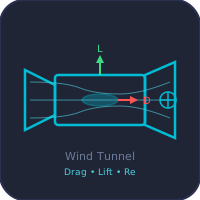
- Wind Tunnel Simulator: lift, drag and planform effects on a wing model.
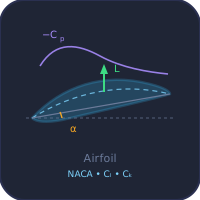
- Airfoil Calculator Virtual Lab: pressure, lift and drag of NACA sections.
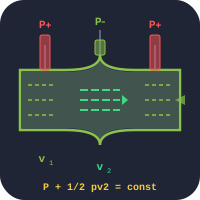
- Bernoulli's Principle: speed and pressure in a venturi.
- Circular Motion: centripetal force and banked curves.
- Gas Turbine: how jet engines make thrust.
- Newton's Laws: force, acceleration and reaction.
- Radial Engine: the classic aircraft piston engine.
Updated